DBC file workflow
Inspect and maintain CAN DBC files in one desktop app.
Open a database, browse its messages and signals, edit the fields that define payload decoding, compare revisions, and check bit layout before saving.
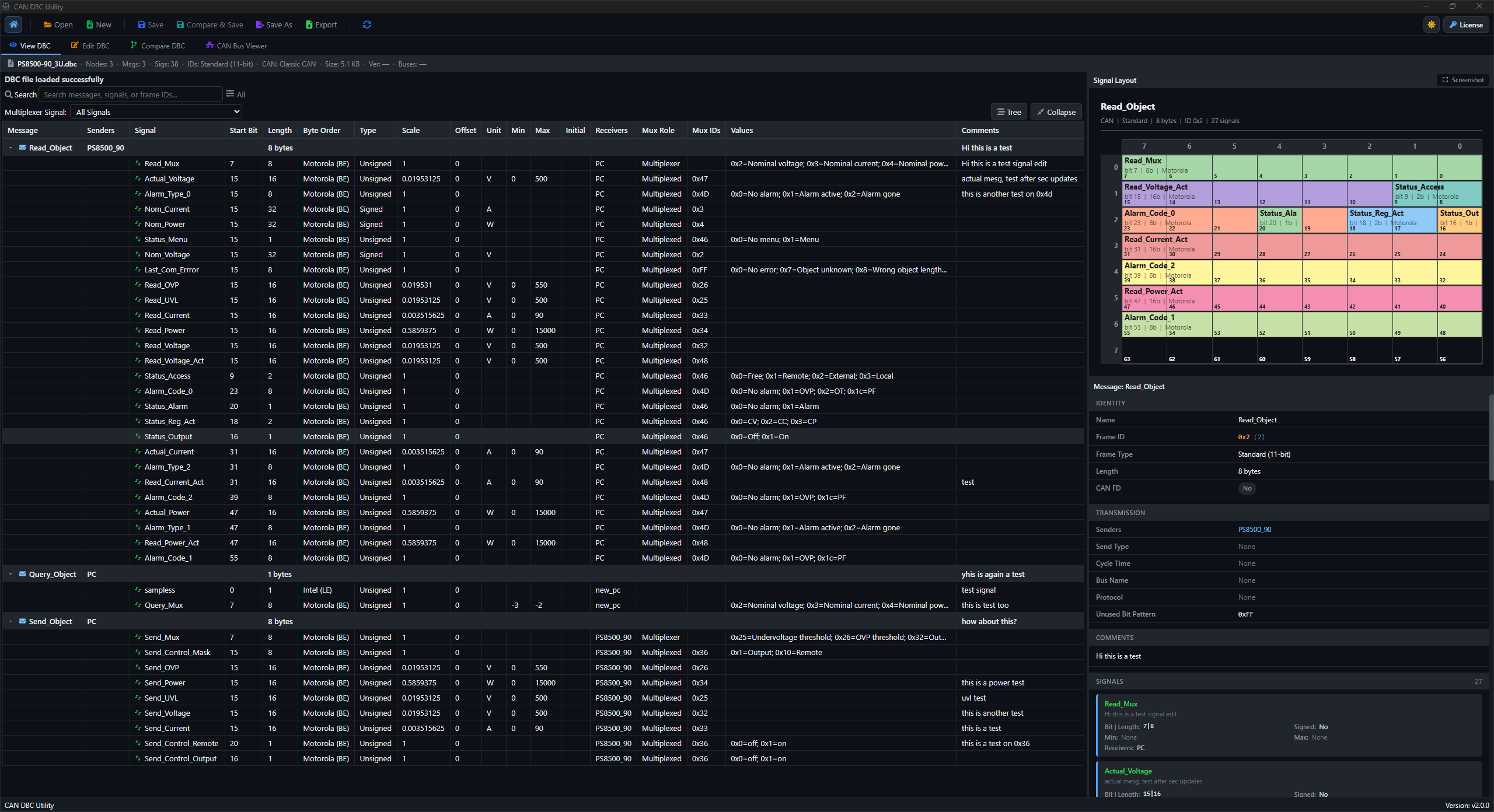
View
Read the database structure
Browse nodes, messages, signals, frame IDs, metadata, comments, and file stats.
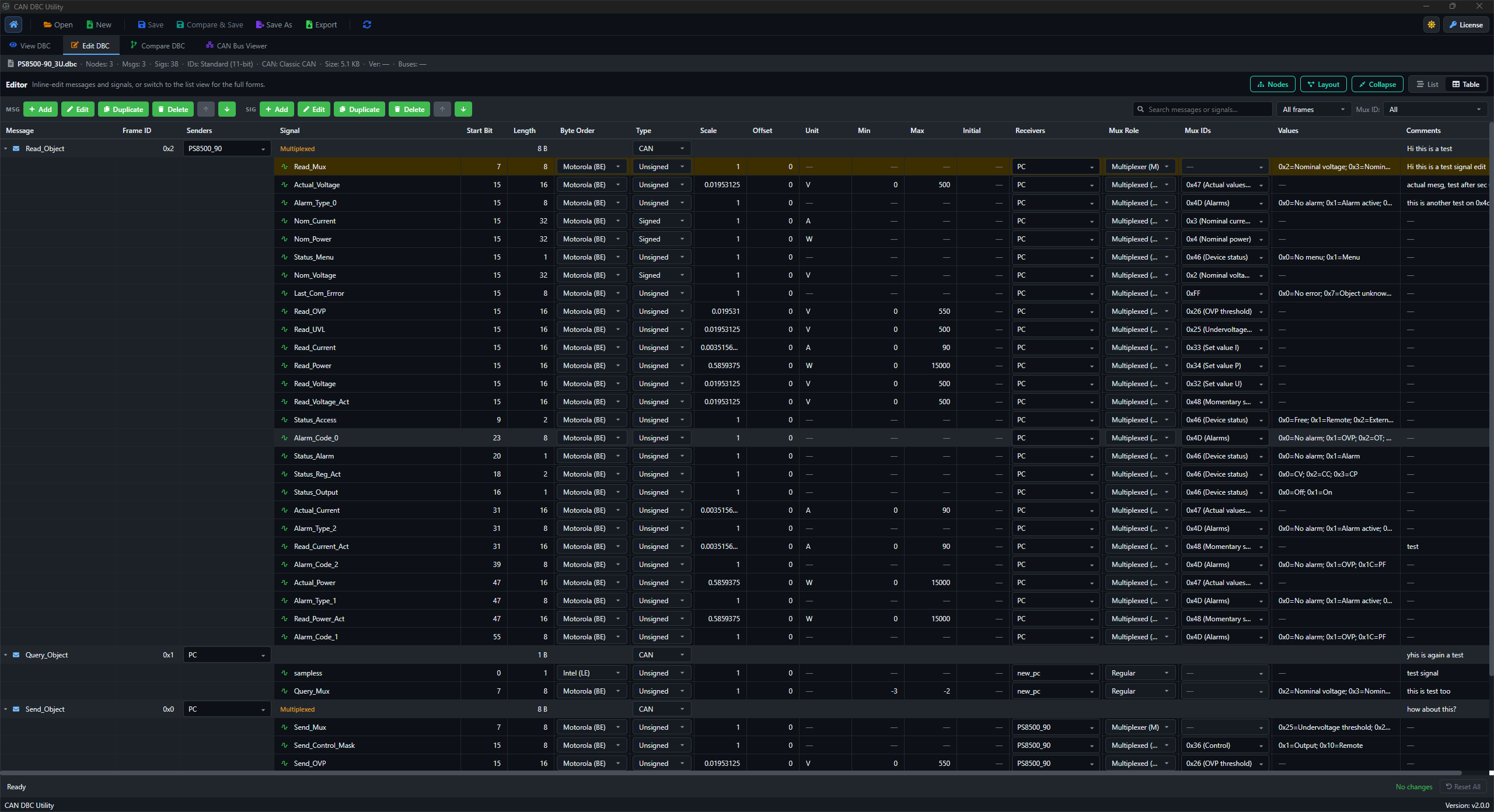
Edit
Update messages and signals
Edit CAN/CAN FD message settings plus signal encoding fields, value choices, receivers, and comments.
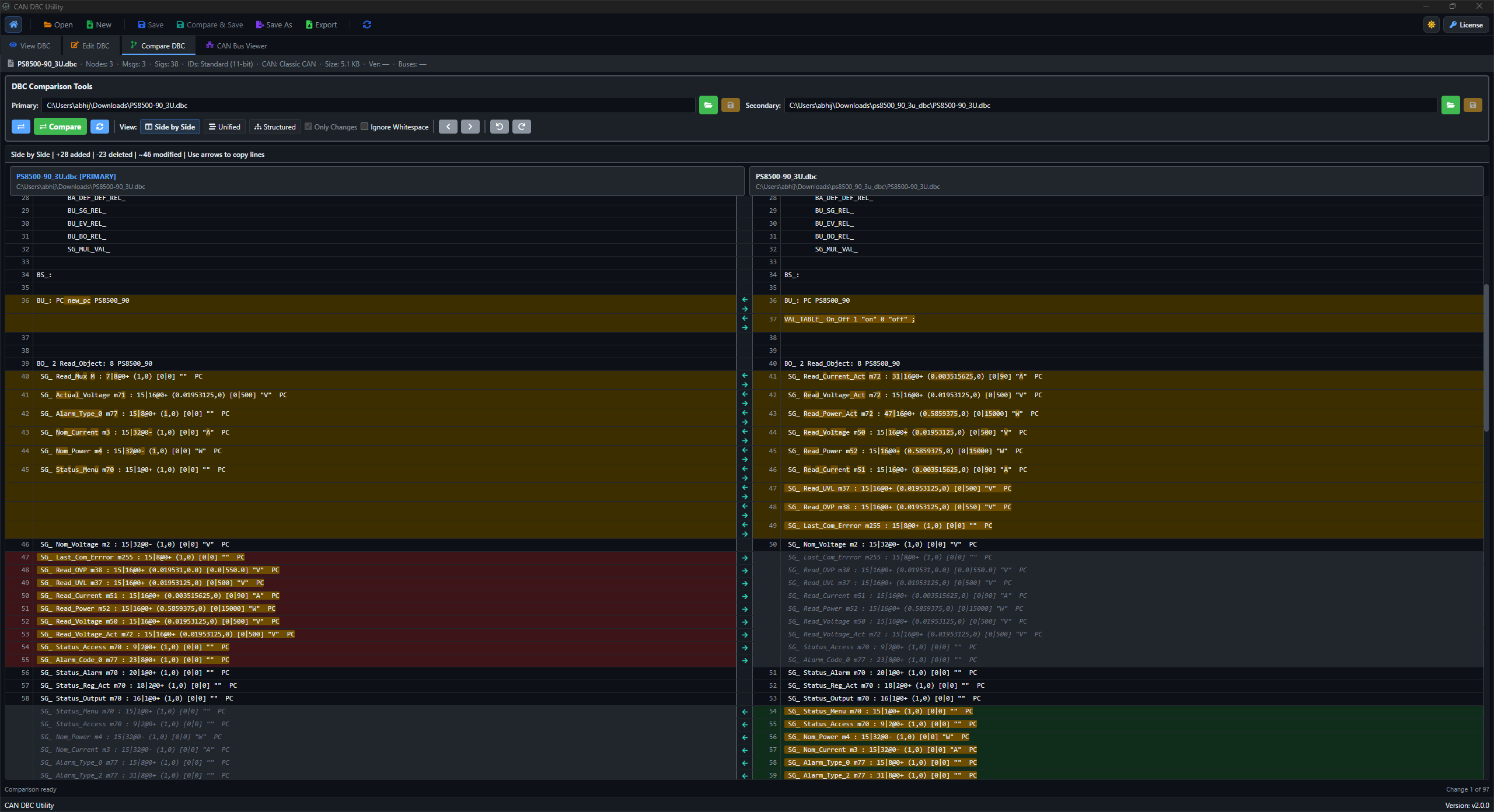
Compare
Review file revisions
Use side-by-side, unified, or structured compare views before accepting a save.
Mux
Work with multiplexing
Filter muxed messages and edit mux role, mux signal, and mux IDs from the app.
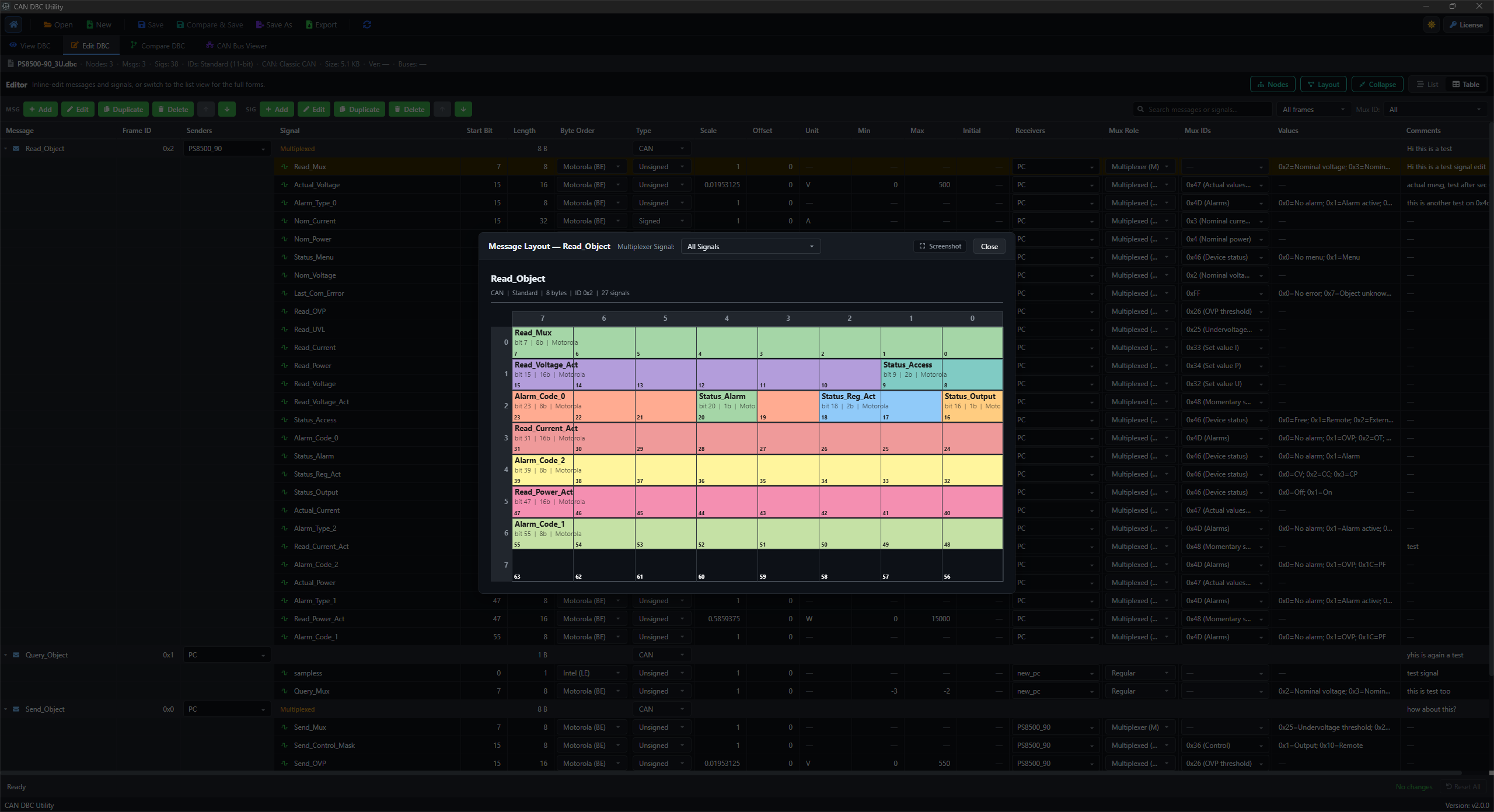
Layout
Check payload packing
Open the layout visualizer for CAN and CAN FD message payload review.
Start
Return to recent work
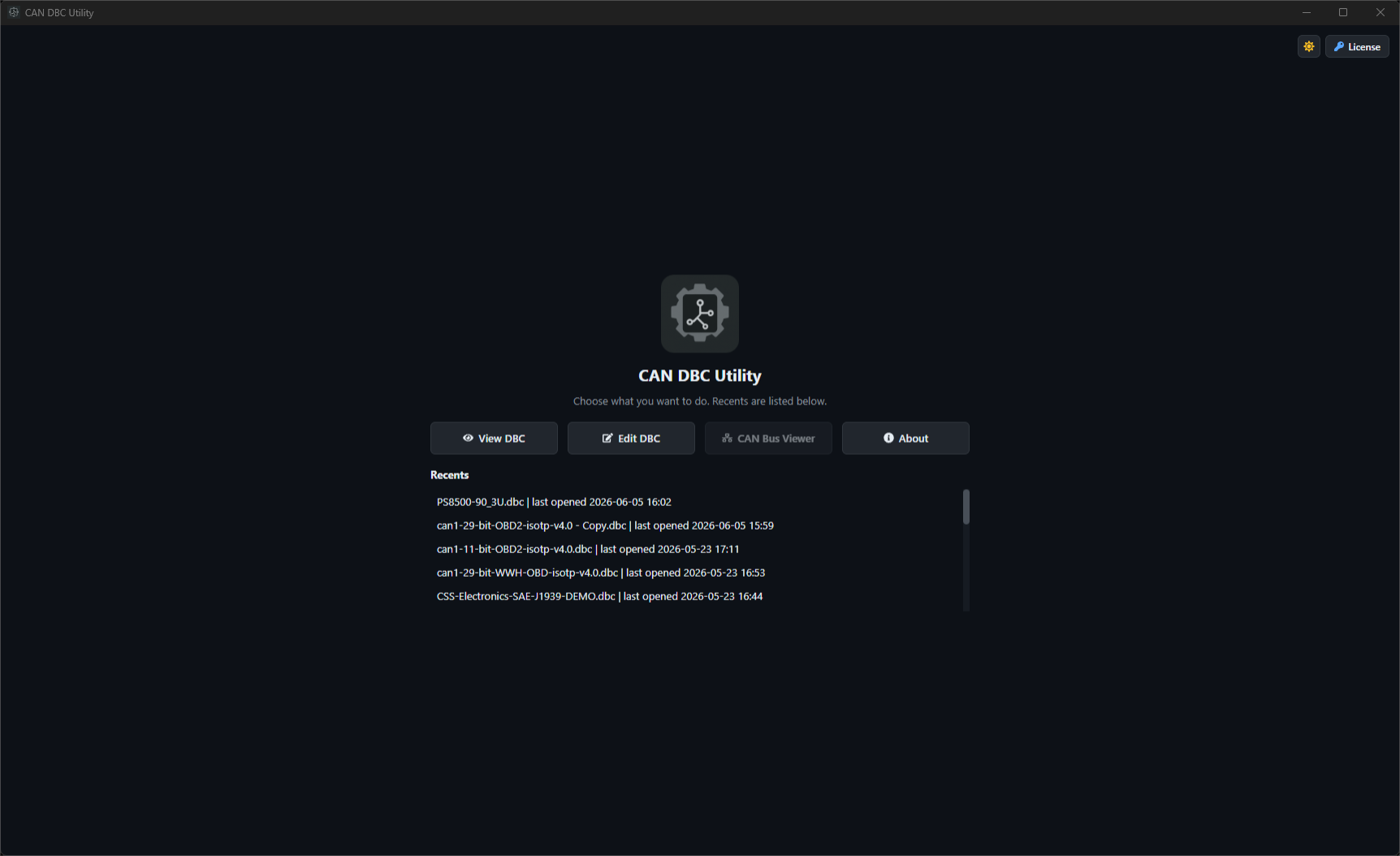
Start from View DBC, Edit DBC, or recently opened files on the home screen.
Workbench
The same DBC file from the views that matter.
Move between viewer, editor, compare, layout, and home without leaving the app.
Viewer
Signals, details, and layout side by side
Editor
Message and signal table
Compare
Side-by-side diff
Layout
Bit-level visualizer
Home
Recent DBC files
Flow
How DBC Utility handles a DBC change.
The workflow keeps object editing, compare review, and bit-layout checks connected to the same database.
Load the database
Open a .dbc file from View DBC, Edit DBC, or recent files.
Inspect the model
Search messages, signals, or frame IDs, then use mux filters when a message is multiplexed.
Edit DBC fields
Update message properties, signal encoding, receivers, comments, value choices, and mux settings.
Review before save
Compare revisions, check layout where needed, then confirm the save.
Resources
Documentation for installation, use, and DBC background.
License and downloads
One license for the desktop DBC workflow.
Buy DBC Utility Pro once for $29, activate it on up to two devices, and get one year of included updates. Your license key remains accessible after the update window.
Inspect
Messages, signals, nodes, metadata
Edit
Signal fields, comments, mux settings
Review
Compare changes and validate layout
DBC Utility Pro
$29
one-time
Pay once for lifetime license-key access and one year of included updates. No subscription or automatic renewal.
Taxes may be calculated during checkout. Review the terms, privacy policy, and refund policy before purchase.
Package access
Current desktop builds included with the license.
CAN_DBC_Utility_2.0.0_windows-setup.zip
CAN_DBC_Utility_2.0.0_amd64.deb
CAN_DBC_Utility-2.0.0-1.x86_64.rpm
The website validates license status before serving the binary package.
FAQ
Short answers to common DBC Utility questions.
Can DBC Utility be used as a viewer, editor, and compare tool?
Yes. The current release supports DBC viewing, DBC editing, and compare review in side-by-side, unified, and structured modes.
Does it support multiplexed messages and CAN FD layouts?
Yes. Multiplexer-aware filtering and editing are built in, and the layout visualizer covers CAN and CAN FD payloads.
How do I get the Windows and Linux app packages?
Buy DBC Utility Pro once, then use the purchase email or Manage License page to check license status and access protected package downloads.
How long are updates included?
Each purchase includes one year of updates from the successful payment date. Updates released after that period may require a new purchase or paid upgrade.
How is license activation handled?
The desktop app asks the user to enter the license key. The website handles checkout, license status, and protected downloads.
Are DBC files uploaded for analysis?
No. Viewing, editing, comparison, multiplexing review, and layout analysis run offline in the desktop app. Internet access is only needed for checkout, downloads, license checks, updates, and support.
Contact
Questions about DBC Utility?
Send app, licensing, or support questions by email, or follow product updates on X.