DBC viewer

Inspect DBC files without losing the message and signal context.

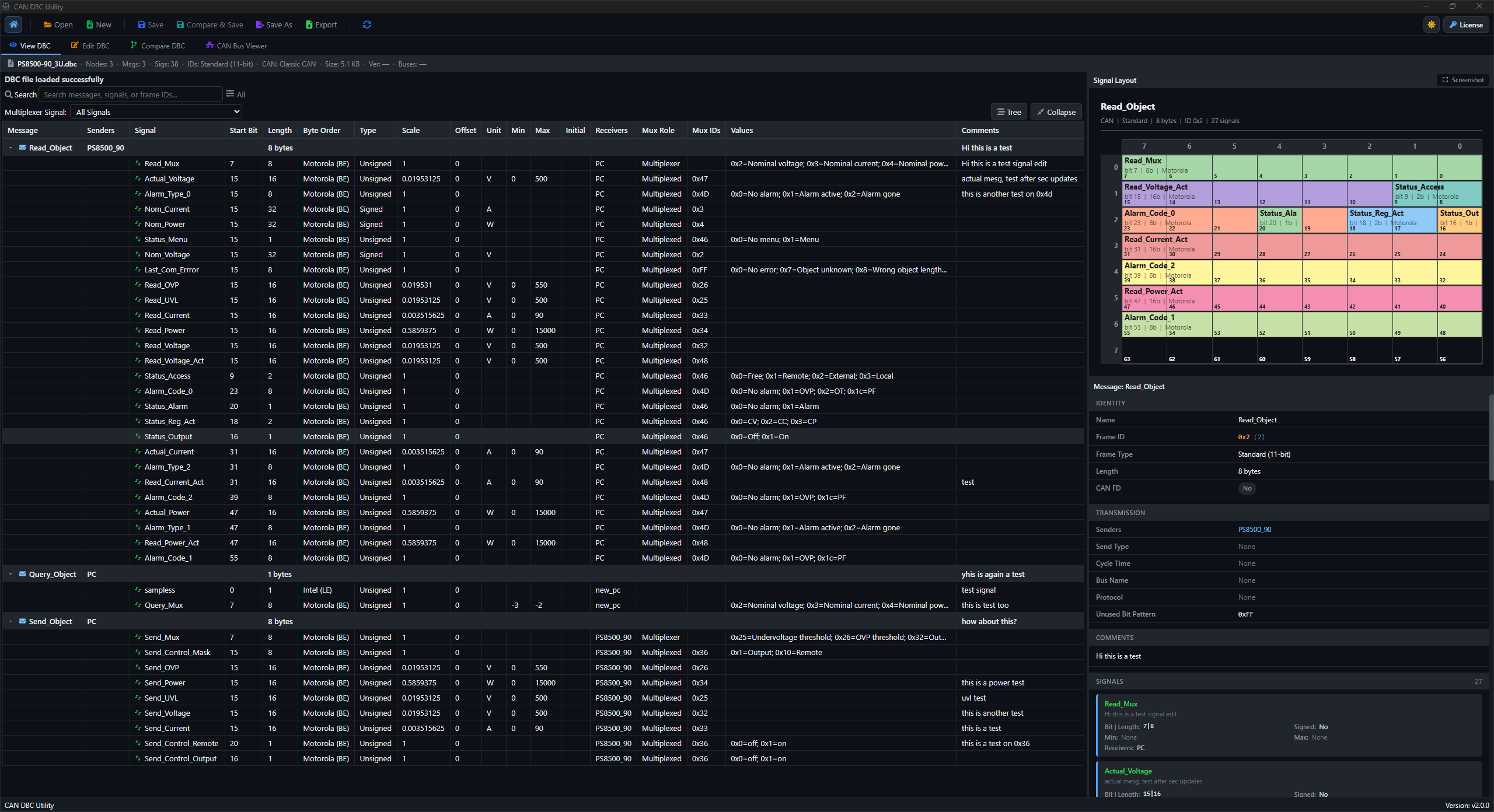
DBC Utility gives engineers a focused viewer for CAN and CAN FD database files. Open a DBC, browse the message tree, inspect signal definitions, and keep metadata visible while reviewing the file.

DBC Utility viewer showing DBC messages, signals, and signal metadata

Where this fits

  • Review message names, frame IDs, payload length, and sender/receiver context.
  • Inspect signal start bits, lengths, byte order, signedness, scaling, units, and comments.
  • Use search and recent files when moving between active DBC review tasks.

Typical workflow

  1. Open the DBC file from the desktop app.
  2. Browse messages and signals in the tree view.
  3. Check signal details and file metadata before sharing or editing the file.