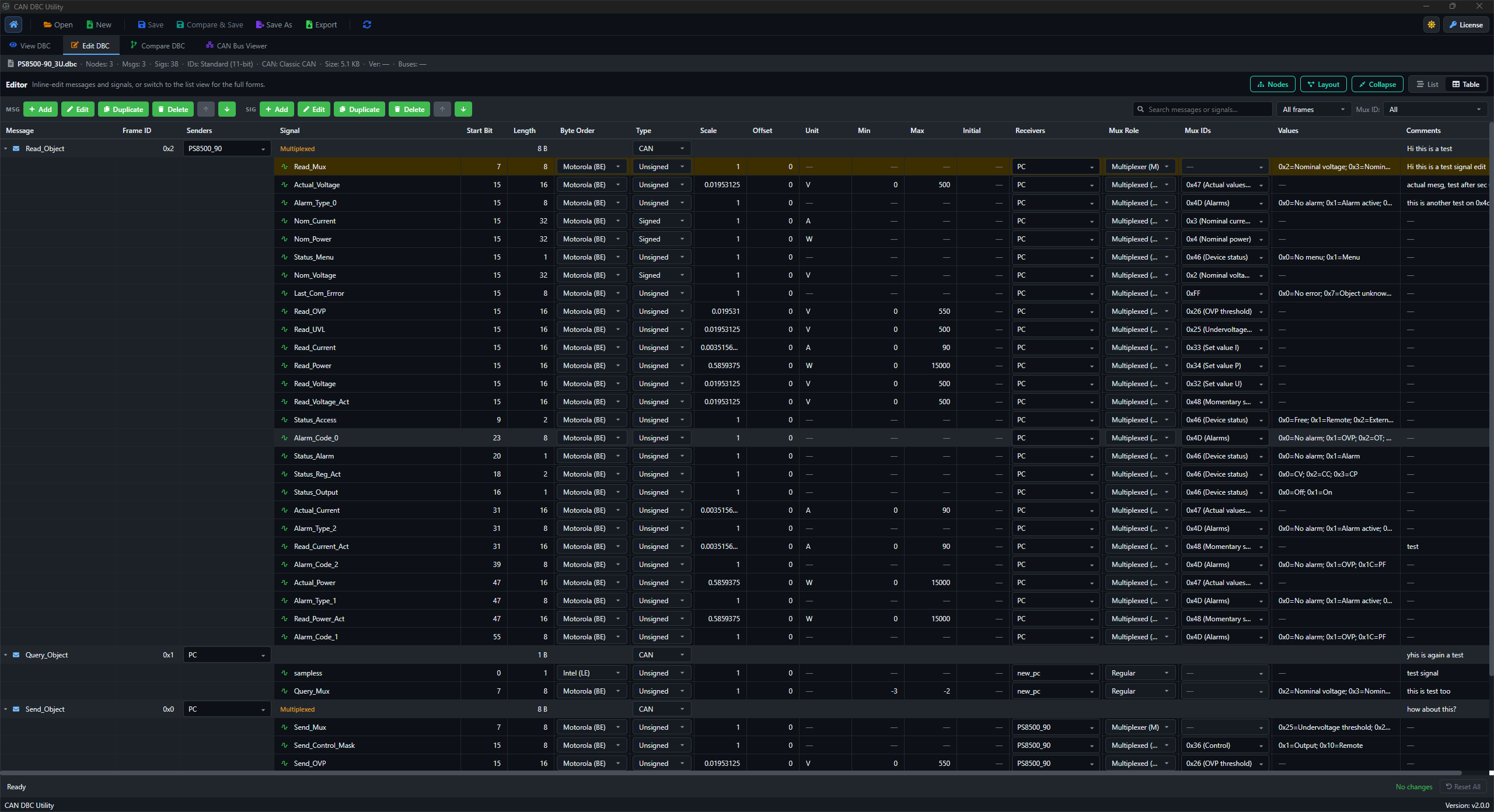
DBC editor

Edit message and signal definitions with the surrounding DBC context intact.

DBC Utility is built for practical DBC maintenance: update messages, signals, value tables, comments, and receiver details without switching between disconnected views.

DBC Utility edit mode showing DBC message and signal editing

Where this fits

  • Update message and signal fields while checking the existing database structure.
  • Review receiver, unit, range, scale, offset, and comment details in one desktop workflow.
  • Handle mux-related fields with the context needed for safer DBC edits.

Typical workflow

  1. Open the active DBC file and choose the message or signal to update.
  2. Edit the relevant fields and review surrounding signal definitions.
  3. Use compare and layout checks before saving the changed database.