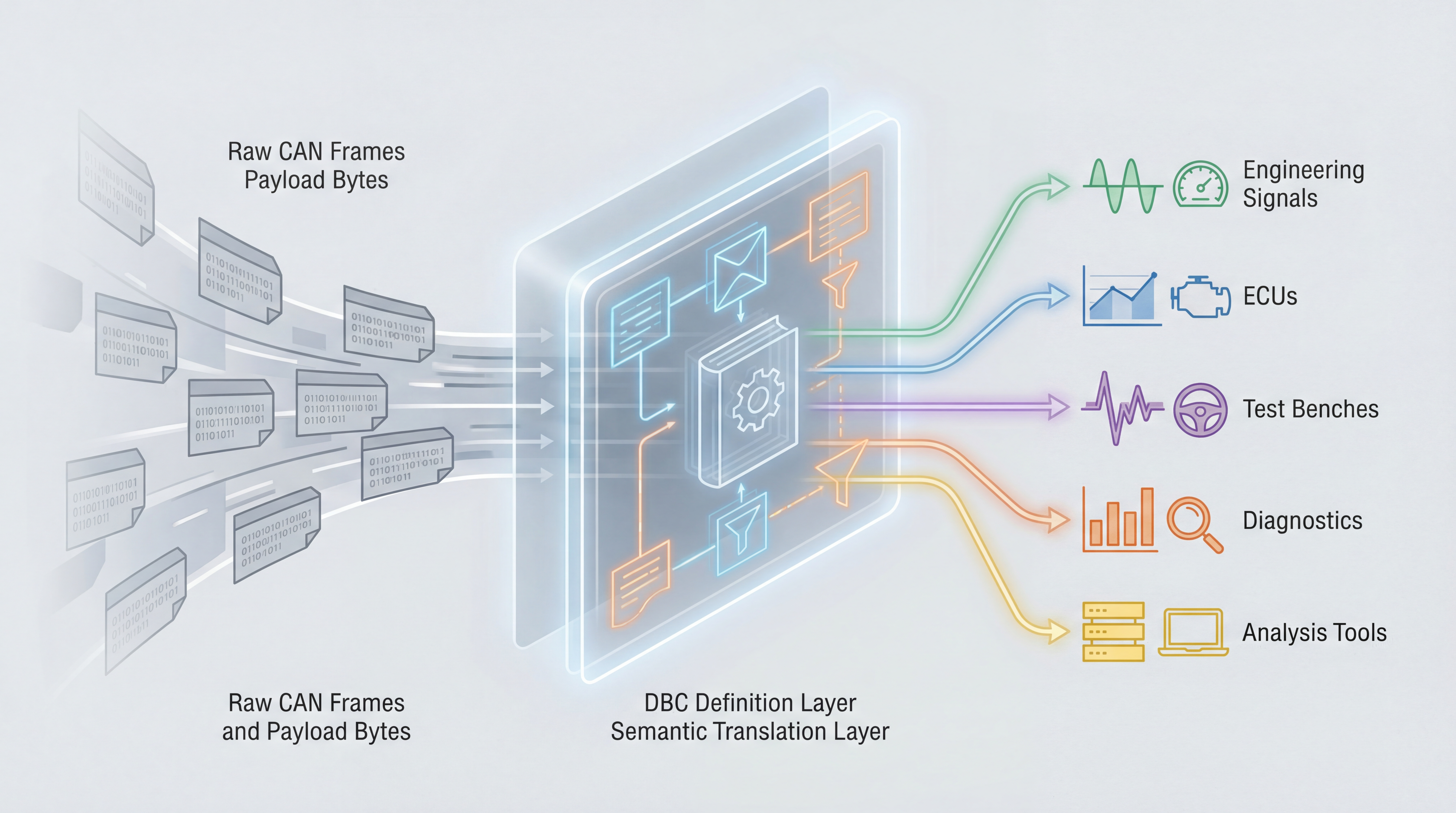
Why DBC files matter
CAN frames carry identifiers and payload bytes, but not business meaning. A DBC file adds that meaning by defining how payload bits map to signal names, units, scaling, ranges, and comments. Without DBC, a trace is mostly hex. With DBC, the same trace becomes readable engineering data.
What a DBC file contains
In practical terms, a DBC typically includes:
- message definitions (ID, name, length)
- signal definitions (bit start, bit length, endian, signedness)
- conversion (scale, offset)
- value boundaries and units
- senders/receivers and optional metadata/comments
These definitions let tools decode and encode traffic consistently.
Where DBC files are used
DBC files are used across the automotive toolchain:
- ECU integration and bench validation
- logging and trace analysis
- diagnostics interpretation
- test automation scripts
- gateway mapping and regression reviews
As systems grow, maintaining DBC quality becomes a process problem, not only a file problem.
Typical workflow in teams
A common pattern looks like this:
- define or update message/signal models
- review changes against previous baseline
- validate decode results on traces/bench
- release database with versioned notes
This is where a focused editor with compare and validation workflows can reduce defects.
Common errors to avoid
Most DBC issues come from a few patterns:
- wrong bit start/length after feature expansion
- scale/offset drift during revisions
- stale comments that contradict actual signal behavior
- uncontrolled copy-paste across branches
Structured compare and explicit review checklists are the best guardrails.
dbcUtility fit in this workflow
dbcUtility is designed around these day-to-day DBC maintenance tasks: view/edit, compare, multiplexer handling, and visual signal-layout checks. That makes it useful where teams need a focused desktop workflow instead of a full measurement suite.
Product pages:
A practical DBC review checklist before release
Before freezing a DBC baseline, run a short review checklist:
- verify bit positions and lengths against latest interface specs
- confirm signedness, scaling, and units with integration owners
- ensure min/max boundaries reflect real ECU behavior
- review multiplexed signals in all selector branches
- run decode sanity checks on fresh capture logs
This five-step pass catches most high-impact DBC defects before they reach vehicle integration.
Internal reads for deeper context
For a complete workflow, combine this with:
Final view
DBC files are not optional documentation. They are core integration assets. The quality of your DBC maintenance directly affects debugging speed, test confidence, and release stability.