Why this release deserves attention
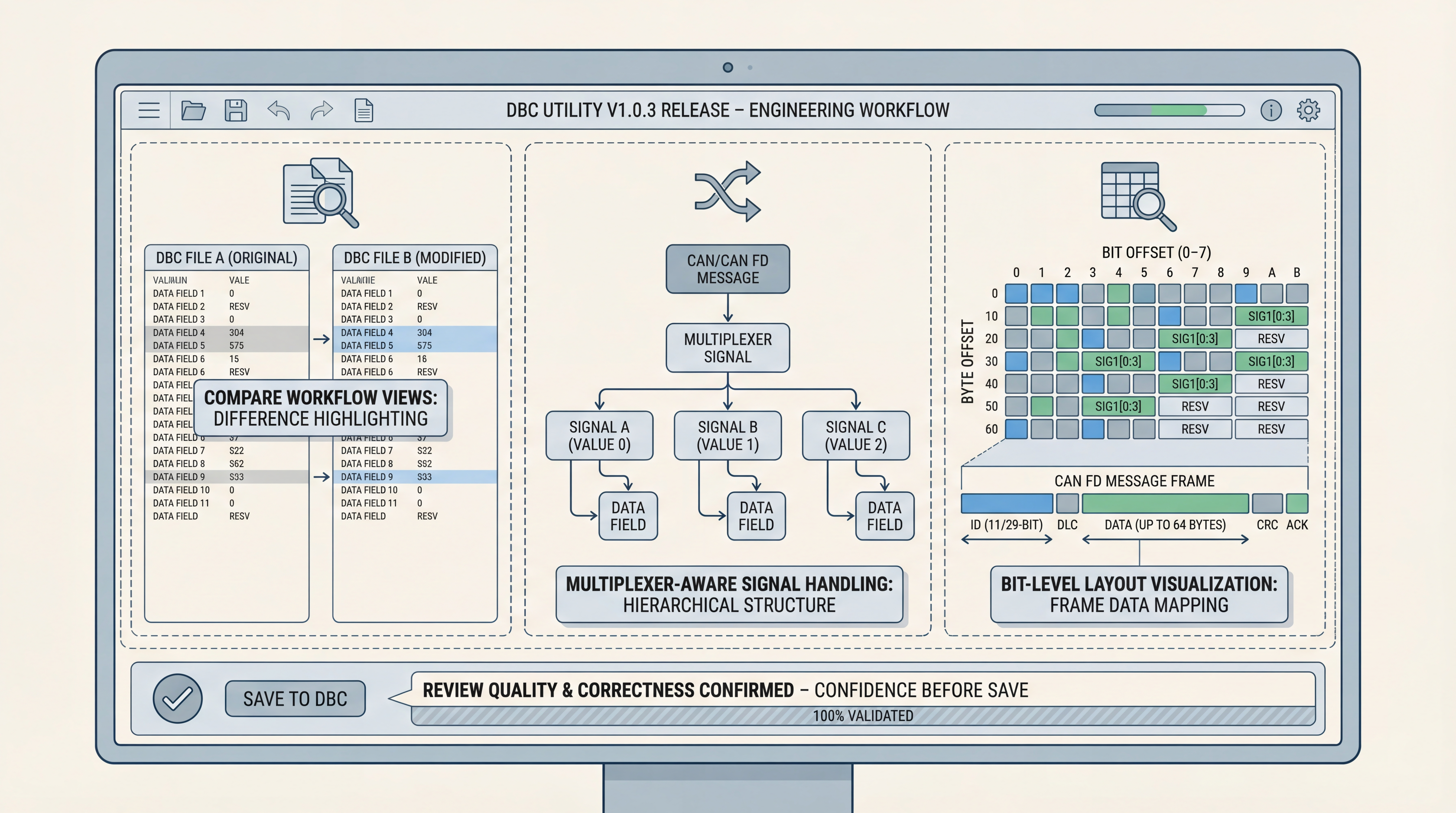
Many version bumps are mostly housekeeping. DBC Utility v1.0.3 is different. The release combines a full compare workflow, broader multiplexer handling, and a layout visualizer that makes bit-level review easier to validate before save. If your team spends time reviewing DBC changes, debugging signal definitions, or maintaining CAN/CAN FD databases across ECUs, those additions are practical, not decorative.
What is actually new in v1.0.3
Based on the published release notes and product documentation, the biggest changes are:
- A dedicated Compare DBC experience with Side-by-Side, Unified, and Structured views
- Full multiplexer support integrated across view, edit, and compare flows
- A message signal layout visualizer for CAN and CAN FD messages
- A home screen with recent files and quick navigation
- A full icon migration to QtAwesome
- Editor improvements such as duplicate/reorder and more structured save-review flow
This release is marked as additive from v1.0.2 with no stated breaking changes for existing DBC files.
The compare workflow is the biggest productivity shift
The compare experience matters because DBC maintenance is usually a review problem before it is a typing problem. Teams often ask:
- Which signals changed between two vendor drops?
- Did scale, offset, byte order, or length shift quietly?
- Which lines can be copied safely from one baseline to another?
v1.0.3 addresses that with three complementary views:
- Side-by-Side for editable line-level inspection
- Unified for compact diff scanning
- Structured for semantic message/signal/property comparison
In practice, this reduces context switching between external diff tools and the editor itself.
Multiplexer support closes a real quality gap
Multiplexed signals are where many DBC workflows become fragile. A tool that handles only simple signal sets can force teams into manual checks and risky assumptions. v1.0.3 adds dedicated multiplexer handling and warnings for common configuration issues, which is valuable for both authoring and review.
The release also notes safer save behavior in cases that previously failed with overlapping-signal errors, using a graceful fallback path. That is exactly the kind of implementation detail that reduces friction in real projects.
The layout visualizer improves confidence before integration
The new bit-level layout view helps engineers verify signal packing decisions visually across CAN and CAN FD message sizes. For teams reviewing handoffs between platform, application, and validation groups, visual confirmation of bit placement can prevent subtle mistakes from escaping into test benches.
This is especially useful when multiple people touch the same message map over time and textual review alone is too easy to misread.
Why this matters beyond UI polish
What v1.0.3 really improves is engineering control over change:
- clearer diffing before merge
- better multiplexer awareness
- more transparent layout validation
- cleaner save/review behavior
If your process includes supplier DBC updates, internal feature rollout, or frequent regression checks, those capabilities reduce review time and lower avoidable defects.
Practical upgrade checklist for teams
If you are moving from v1.0.2:
- Install dependencies with
uv sync(QtAwesome is required in this release). - Validate your internal compare workflow on one known baseline pair.
- Re-check multiplexed messages in your critical DBC set.
- Add the layout visualizer to review checklists for high-risk messages.
- Update any internal docs that previously depended on removed legacy icon assets.
Where to get it
Product pages:
Final view
DBC Utility v1.0.3 is a meaningful release for teams that treat DBC files as living engineering assets. It improves the three areas that usually consume review time: diff clarity, multiplexed signal correctness, and bit-level confidence before save. For practical CAN/CAN FD workflows, that is exactly where a tool update should create value.